
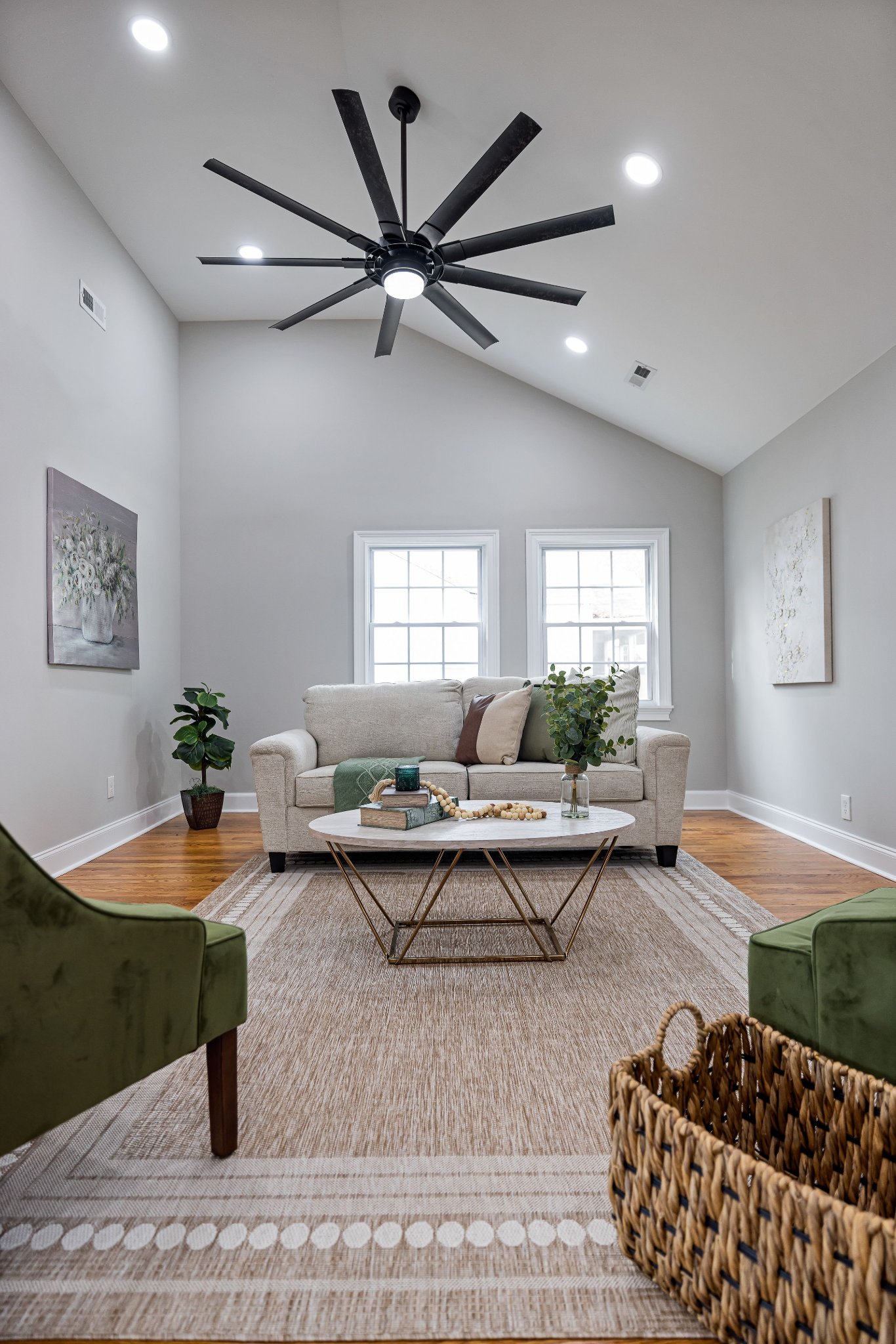
When shopping for ceiling fans with light, most people compare size, airflow, motor type, and appearance first. I used to do the same. But after using different ceiling fans, I found that the control method can make a surprisingly big difference in everyday convenience.
A ceiling fan may be controlled by a pull chain, wall switch, handheld remote, wireless wall control, smartphone app, or voice assistant. Some systems control only power, while others let you adjust fan speed, light brightness, color temperature, timer settings, and even fan direction.
So, which control method should you choose?
Quick Answer
The best control method for ceiling fans with lights depends on how you use the room.
The most common control methods are:
Pull chain control — the traditional mechanical method.
Wall switch control — convenient and familiar, but functionality depends on the switch.
Handheld remote control — allows fan speed and lighting adjustments from anywhere in the room.
Wireless wall control — provides wall-mounted convenience without necessarily requiring traditional control wiring.
Smart/app control — allows operation through a smartphone and, on compatible systems, home automation.
Voice control — usually part of a smart ceiling fan system.
Combination control — for example, a wall switch for power plus a remote for speed and lighting.
The biggest mistake is assuming that every wall switch, remote, or dimmer can control every ceiling fan. Fan controls are not interchangeable simply because they look similar.
ENERGY STAR specifically notes that conventional dimmer switches should not be used to operate a ceiling fan motor because they can cause the motor to hum; a wall control designed for a fan/light combination should control the fan and light separately.
For most American homes, I prefer remote control + wall control. The wall control provides a fixed and dependable way to operate the fan, while the remote lets you adjust the fan and light from a sofa or bed.
1. Pull Chain Control: Simple but Limited
Pull chains are the traditional way to operate ceiling fans. Usually, one chain controls the fan while another controls the light.
The biggest advantage is simplicity. There are no batteries, pairing procedures, Wi-Fi connections, or apps to worry about. If the fan has power, you can operate it directly.
The problem is accessibility. A pull chain is not particularly convenient when the fan is installed above a bed, dining table, or high ceiling.
For that reason, I would consider a pull-chain-only fan more suitable for simple rooms where the controls are easy to reach.
HowStuffWorks explains that traditional ceiling fans with lighting can use separate pull cords for the fan and light, while some installations instead use separate wall switches.
2. Wall Switch Control: Convenient and Familiar
A wall switch is one of the easiest control methods to understand, but there is an important distinction between a standard light switch and a dedicated ceiling fan control.
A basic switch may simply provide power to the fan. A dedicated fan control can allow you to adjust fan speed and operate the light separately.
This distinction matters because a ceiling fan motor should not normally be controlled with a standard lighting dimmer. ENERGY STAR explains that conventional dimmer switches can cause a ceiling fan motor to hum and recommends controls specifically designed for ceiling fans.
Why I like wall controls
There is one major advantage I don't think gets enough attention:
You always know where the control is.
Unlike a remote, the wall control doesn't disappear under the couch.
This is especially useful for:
Bedrooms
Guest rooms
Hallways
Homes with children
Rooms where multiple people use the fan
A properly designed wall control can also look and feel like a normal part of the electrical system.
But there is a wiring issue
Older installations may have been wired for a simple light fixture rather than a fan/light combination.
Some fan/light configurations use separate conductors so that the fan and light can be controlled independently. Other modern fans rely on an internal receiver and wireless control.
That means you should never assume your existing switch wiring will support every control configuration.
3. Remote Control: My Favorite for Everyday Use
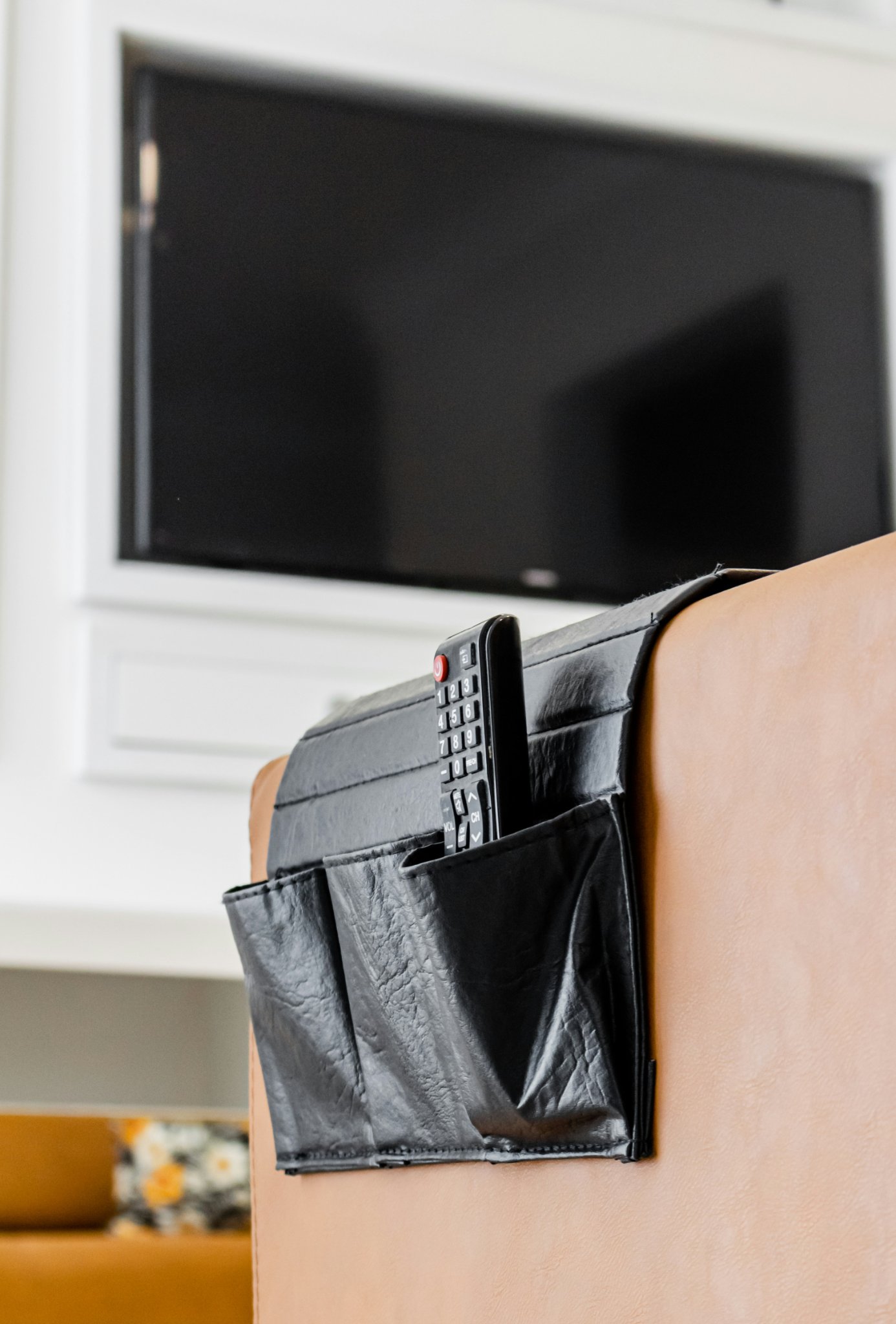
For modern ceiling fans with lights, a handheld remote is probably the most convenient option.
Depending on the model, a remote may control:
Fan speed
Light on/off
Light brightness
Color temperature
Timer
However, “remote included” does not mean every function is available. Always check the product specifications before buying.
For a bedroom, remote control is especially useful. I can adjust the fan speed after getting into bed or turn off the light without walking across the room. This sounds like a small convenience, but it quickly becomes something you expect every night.
The main disadvantages are batteries and pairing. If the remote suddenly stops working, don't assume the fan is broken. Check the batteries, wall switch, and remote pairing first.
Why remotes are particularly useful in bedrooms
This is where remote control makes the biggest practical difference.
If you're already in bed, being able to reduce the fan from speed 4 to speed 2 without getting up is a small feature that quickly becomes a daily convenience.
4. Wireless Wall Control: A Useful Middle Ground
Wireless wall controls combine some advantages of a wall switch and a remote.
Instead of keeping a handheld remote on a nightstand or coffee table, you can have a control mounted in a familiar location. Depending on the system, it communicates with the fan wirelessly.
This can be particularly useful when renovating a room and you want convenient control without relying entirely on a loose remote.
Some manufacturers also provide wall cradles for handheld remotes, giving you a fixed place to store the controller when it isn't being used.
Why this can be useful
I particularly like this arrangement for:
Bedrooms
Living rooms
Open-plan spaces
Homes with multiple seating areas
Renovations where extensive switch rewiring is undesirable
It gives you a predictable location for the control while retaining wireless functionality.
But again, compatibility matters.
A wireless wall controller is not necessarily universal.
5. Smart and App Control: Is It Worth It?
Smart ceiling fans can connect to a smartphone app or compatible smart-home platform. Depending on the system, you may be able to control fan speed, lighting, timers, schedules, and other functions.
Some smart controllers can also work with voice assistants such as Amazon Alexa or Google Assistant. Lowe's explains smart-compatible fan control options
Personally, I think the best reason to choose smart control is automation, not simply replacing a remote with a phone.
For example, you might schedule the fan to run at a lower speed at night or automatically turn the light off at a certain time.
The downside is complexity. Smart control can introduce Wi-Fi, apps, firmware, and connectivity problems. If your goal is simply to control the fan and light, a traditional remote may be easier.
For that reason, I prefer smart fans that still provide a physical control.
Can One Switch Control Both the Fan and Light?
Yes, but it depends on the fan and wiring configuration.
Some installations use one wall switch to provide power to the entire fan, while a remote separately controls the fan and light.
Other installations use separate switches for the fan and light.
A dedicated wall controller may also allow both functions to be operated independently.
The important thing is not to assume that the switch used by your old ceiling light will automatically provide all the functions of a modern ceiling fan.
If you are replacing a light fixture with a ceiling fan with light, check the installation instructions before purchasing the control.
Can I Use a Regular Dimmer Switch?
This is one of the most important compatibility questions.
Do not use a standard lighting dimmer to control a ceiling fan motor unless the control is specifically designed and rated for that application.
A lighting dimmer and a fan-speed controller are designed for different loads. Using the wrong control can cause motor noise, unstable operation, or damage.
The light itself may be dimmable if the fan's light kit is designed for dimming, but that does not mean the fan motor can be connected to the same dimmer.
When shopping, look for specific information about fan speed control and light dimming, rather than assuming one control handles both.
Why Does My Remote Stop Working When the Wall Switch Is Off?
This is a common source of confusion.
If the wall switch cuts power to the ceiling fan, it also cuts power to the receiver inside the fan. The remote cannot communicate with a receiver that has no power.
In everyday use, many remote-controlled fans work best when the wall switch remains on and the remote is used for normal operation.
If your remote suddenly stops responding, check these things first:
Is the wall switch on?
Are the remote batteries working?
Does the remote need to be paired again?
Is the receiver receiving power?
Does the manufacturer's troubleshooting guide specify a reset procedure?
Hunter's troubleshooting guide provides additional steps for remote-controlled fans
Can I Add a Remote to an Existing Ceiling Fan?
Sometimes, yes.
Compatible receivers can allow certain pull-chain or older ceiling fans to work with remote controls. However, compatibility is not universal.
Before installing an aftermarket receiver, check:
Fan model
Motor type
Voltage
Light kit
Receiver compatibility
Available space inside the canopy
Control functions
Angi explains that installing a ceiling fan remote involves placing a receiver within the fan's electrical system and that compatibility and available space can affect the installation.
If the modification requires working with household electrical wiring and you are not comfortable doing it, hiring a qualified electrician is the safer choice.
Which Control Method Should You Choose?
After comparing the different options, this is how I would approach it:
For bedrooms:
Choose a remote or remote + wall control. Being able to adjust speed and lighting from bed is extremely convenient.
For living rooms:
A remote + wall control is my preferred combination because you can operate the fan when entering the room and adjust it from the sofa.
For high ceilings:
Avoid relying on pull chains. Remote or wall control is much more practical.
For smart homes:
Smart/app control makes sense if you actually plan to use scheduling or voice automation.
For simple rooms:
A wall switch or pull chain may be perfectly adequate.
The important thing is to match the control system to the way you actually use the room
What I Would Check Before Buying
Before purchasing ceiling fans with light, I would check five things:
1. What controls are included?
Don't assume a remote or wall controller comes with the fan.
2. What can the remote control?
Check whether it controls speed, light, dimming, color temperature, timer, and reverse direction.
3. Is the light dimmable?
Three-color lighting and dimming are separate features.
4. Is the wall control compatible?
Never replace a fan control with an ordinary lighting dimmer without confirming compatibility.
5. What happens when power is interrupted?
Check whether the fan remembers its previous settings or needs to be reset.
These details may seem minor when you're shopping, but they can make a big difference after installation.
Final Takeaway
There isn't one universally best control method for ceiling fans with lights.
Pull chains are simple, wall controls are dependable, remotes are convenient, and smart controls provide automation.
For most homeowners, I would choose a compatible wall control plus a remote. It gives you a reliable physical control while allowing comfortable everyday operation from anywhere in the room.
Most importantly, don't judge a fan simply by whether it “comes with a remote.” Look at the entire control system and find out exactly what the wall switch, remote, receiver, and light can each do.
That small amount of research can prevent a surprisingly frustrating installation later.
FAQs
What is the best control method for ceiling fans with lights?
For most homes, a compatible remote + wall control offers the best balance of convenience, accessibility, and reliability.
Can I use a regular light switch for a ceiling fan?
A basic switch may provide power, but it may not provide fan-speed control. Use a dedicated fan control when speed adjustment is required.
Can a remote control both the fan and light?
Yes, if the fan's receiver and remote are designed for both functions. Always check the specific control functions.
Can I use a dimmer switch with a ceiling fan?
Do not use a standard lighting dimmer to control the fan motor. Use a control specifically designed for ceiling fans.
Why does my fan remote not work?
Check that the wall switch is supplying power, replace the batteries, and check whether the remote needs to be paired again.
Are smart ceiling fans better?
Not necessarily. Smart fans are useful for automation and voice control, but a traditional remote can be simpler and more reliable for everyday use.
Share:
What Way Should the Ceiling Fan Turn in Winter? A Homeowner’s Guide
How to Make Party Lights Look Good in Photos: Lighting Tips for Better Party Pictures